RC Details Online: Check Vehicle, Car & Bike RC Details on Parivahan
Check RC Details online using Parivahan and Vahan. Verify vehicle, car and bike registration information, owner details, and registration status with your vehicle number.
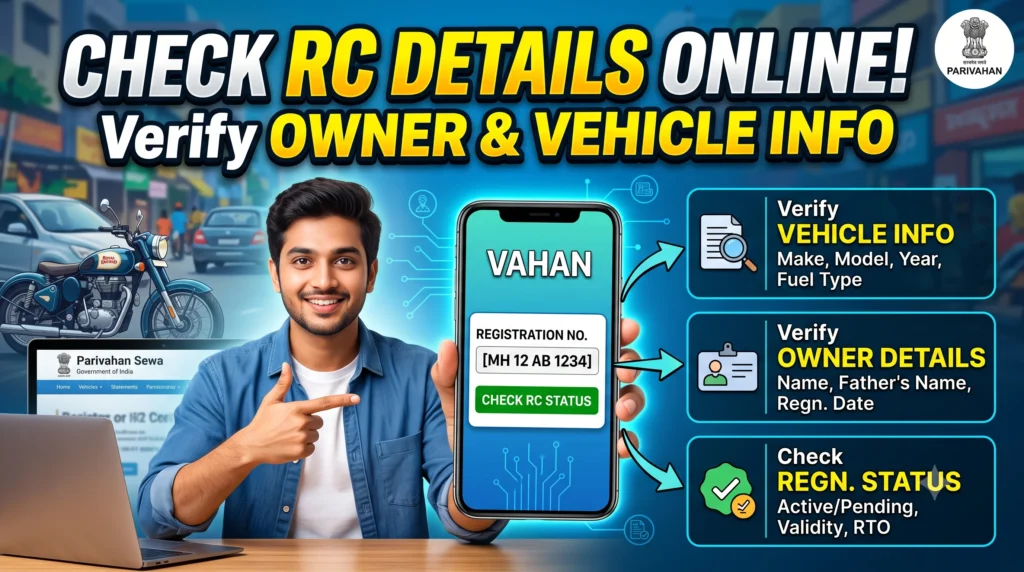
Start on the official Parivahan portal
You will enter this on the official Parivahan website — we do not process or store your number.
Enter your vehicle number on Parivahan to view available Registration Certificate details. We do not store or process your registration number.
RC Details Online — Overview
Every vehicle registered in India receives a unique Registration Certificate (RC) from the Regional Transport Office (RTO). The RC serves as the vehicle’s official legal identity and confirms that it has been registered in accordance with the Motor Vehicles Act.
You no longer need to visit an RTO office to verify your vehicle registration information. Through the official Parivahan and Vahan services, you can check your RC details online within minutes using your vehicle registration number. If you only want to find out whether your Registration Certificate has been issued, is still being processed, or has been dispatched, check RC Status first. This lets you see the latest status of your RC application and makes it easier to find the correct vehicle registration information.
Checking RC details can be helpful in several situations, such as buying a used vehicle, renewing insurance, applying for vehicle financing, verifying ownership, or confirming registration details before transferring a vehicle. Accurate RC information helps you verify important vehicle records and avoid potential issues. After confirming the registration details, you can also Download RC Online to access a digital copy of your Registration Certificate through official Parivahan services or other supported government platforms.
What are RC Details?
RC Details are the official records contained in a vehicle’s Registration Certificate (RC). Every registered car, motorcycle, scooter, commercial vehicle, and transport vehicle in India receives an RC from the Regional Transport Office (RTO). The certificate provides essential information about the vehicle and its registered owner.
The Registration Certificate (RC) proves that a vehicle is officially registered with the relevant transport authority. It is an essential document that vehicle owners should keep safe and up to date throughout the vehicle’s ownership.
A standard RC includes information such as:
- Registration Number
- Owner Name
- Vehicle Class
- Manufacturer
- Model
- Fuel Type
- Engine Number
- Chassis Number
- Registration Date
- Registration Validity
- Insurance Details
- Road Tax Details
- Fitness Certificate (where applicable)
- Hypothecation Information
- Permit Information
Why are RC Details Important?
Many vehicle owners check their RC only when the police or an insurance company asks for it. However, a Registration Certificate is more than just a legal document—it serves as an important record of your vehicle’s ownership and registration details.
Regularly checking your RC details ensures that the information stored in government records remains accurate, updated, and free from errors. RC Details become especially important when:
- Buying a used vehicle
- Selling your vehicle
- Applying for insurance
- Renewing insurance
- Taking a vehicle loan
- Removing a vehicle loan
- Transferring ownership
- Renewing Registration Certificate
- Downloading digital RC
- Verifying ownership
Why are RC Details Important?
When you check your vehicle registration details online, you can access several important pieces of information about your vehicle.
| Information | Description |
|---|---|
| Registration Number | Official vehicle registration number |
| Owner Name | Registered owner of the vehicle |
| Vehicle Class | LMV, HMV, Private, Commercial etc. |
| Vehicle Category | Car, Bike, Transport Vehicle |
| Fuel Type | Petrol, Diesel, CNG, Electric, Hybrid |
| Engine Number | Vehicle engine identification |
| Chassis Number | Vehicle chassis identification |
| Registration Date | Original registration date |
| RC Validity | Registration expiry date |
| Insurance Status | Insurance availability |
| Tax Details | Road tax validity |
| Hypothecation | Bank or finance company details |
| Fitness Certificate | Commercial vehicle fitness status |
| Permit Details | Applicable transport permits |
If your Registration Certificate has been approved and issued, you can access your vehicle registration information without visiting the RTO office. You can Download RC Book Online to obtain your digital Registration Certificate and learn more about the RC Book, Smart RC, and other digital vehicle documents.
Why Should You Verify RC Details Before Buying a Used Vehicle?
One of the most common mistakes when buying a used vehicle is trusting the seller’s claims without independently verifying the vehicle’s details. Before making a payment, always cross-check the vehicle’s official Registration Certificate details with government records to ensure the information is accurate and genuine. Checking RC Details helps you confirm:
- Registered Owner
- Vehicle Registration Date
- Vehicle Age
- Fuel Type
- Vehicle Class
- Hypothecation Status
- Registration Validity
Benefits of Checking RC Details Online
Online RC verification has made it much easier for vehicle owners to manage and verify their registration details. Some major benefits include:
- Instant verification of vehicle registration
- Government-authorized vehicle information
- Helps prevent fraud while purchasing used vehicles
- Easy verification before insurance renewal
- Supports vehicle ownership transfer
- Confirms registration validity
- Saves time by reducing RTO visits
- Available online anytime
- Supports digital documentation
- Improves transparency during vehicle transactions
After checking your Registration Certificate details, it’s a good idea to verify your vehicle RC before buying a used vehicle or sharing its information with others. This extra step helps ensure that the registration details match official transport records and can protect you from potential fraud or incorrect information.
How to Check RC Details Online on Parivahan
Checking your RC details online is a convenient way for vehicle owners and buyers to verify registration information without visiting an RTO. The Government of India provides this service through the Parivahan Portal, which connects with the Vahan database managed by the Ministry of Road Transport and Highways (MoRTH). This makes it easier to access and confirm vehicle registration details online.
Whether you own a car, bike, scooter, or commercial vehicle, you can quickly access essential registration details using your vehicle registration number in just a few minutes.
Documents Required to Check RC Details
Unlike many RTO services, you can check your RC details without uploading any documents. In most cases, all you need is your vehicle registration number. You should keep the following information ready:
- Vehicle Registration Number
- Internet Connection
- Mobile Phone or Computer
- Browser with Internet Access
If you want to download your Registration Certificate after verification, you may need to complete additional authentication, depending on the service you use. For step-by-step instructions, check our RC Book Download Guide, which explains how to download your digital Registration Certificate through various government platforms.
Steps to Check RC Details Through Parivahan
Follow these easy steps to quickly verify your vehicle registration details.
- Step 1 – Visit the Official Portal
Open the official Parivahan vehicle services portal. Always open the official government website. - Step 2 – Select Vehicle Related Services
- Open the Vehicle Related Services.
- This section offers online vehicle services, including RC details, ownership transfers, duplicate RC applications, hypothecation removal, and registration renewal.
- If you have purchased a used vehicle and need to update its ownership, check the complete RC Transfer Process to learn about the required documents, procedures, and legal requirements.
- Step 3 – Enter Your Vehicle Registration Number
Enter your full vehicle registration number exactly as it appears on your RC Book.- MH12AB1234
- DL01CD4567
- GJ05XY7890
- Step 4 – Complete Verification
Complete the CAPTCHA verification or security checks. - Step 5 – View RC Details
Once the verification is complete, the system shows the available Registration Certificate details linked to your vehicle. You can see information:- Registration Number
- Owner Name
- Registration Date
- Vehicle Class
- Vehicle Category
- Manufacturer
- Model
- Fuel Type
- Engine Number (partially masked)
- Chassis Number (partially masked)
- Registration Validity
- Insurance Details
- Tax Status
- Fitness Certificate
- Permit Details
- Hypothecation Information
Check RC Details Using mParivahan App
Vehicle owners who regularly need to access their documents can also use the official mParivahan mobile app. Follow these steps:
- Install the official mParivahan Application.
- Login with your mobile number.
- Complete the verification code.
- Check your vehicle Certificate information.
One of the key benefits of the app is its support for digital vehicle documents. After completing verification, users can keep a digital copy of their RC instead of carrying the physical RC Book. If you need a downloadable copy, follow our detailed RC Download Guide to explore available options through Parivahan, DigiLocker, and other supported platforms.
Check RC Details Through Vahan
The Vahan database serves as India’s centralized platform for vehicle registration records. Transport departments across the country update registration data through this system, making it a reliable source for accessing and verifying vehicle information. Vahan helps users verify:
- Registration Information
- Vehicle Category
- Fuel Type
- Registration Validity
- Tax Information
- Insurance Details
- Permit Status
- Fitness Information
If you’re buying a used vehicle, checking its Vahan records should be one of your first steps before making the payment. After verifying the information, complete the official RC Transfer Process to ensure the new ownership is properly updated in government records.
Can You Check Car and Bike RC Details Separately?
Yes. The process for checking Car RC Details and Bike RC Details is the same. The main difference is the type of information listed in the Registration Certificate. For a car, the RC typically contains details such as:
- Seating Capacity
- Fuel Type
- Vehicle Class
- Registration Validity
- Insurance
- Tax Information
For a Bike, the RC includes:
- Engine Capacity (CC)
- Fuel Type
- Registration Details
- Insurance Status
- Chassis Number
- Engine Number
Understanding Every Field in RC Details
When you check your RC Details online, you’ll find that the Registration Certificate includes far more than just the vehicle number and owner’s name. Each field has a specific purpose, helping government authorities, insurance providers, lenders, and vehicle owners verify the vehicle’s identity, authenticity, and legal status.
1. Registration Number
The Registration Number serves as your vehicle’s unique identification number and is issued by the Regional Transport Office (RTO). It follows a standard format containing the state code, RTO code, registration series, and vehicle number.
For example:
- MH 12 AB 1234
- DL 01 CD 4567
- GJ 05 XY 9876
This number remains linked to the vehicle throughout its lifetime unless it is changed due to specific legal or administrative reasons. It is also the main information needed to check RC Status, download a digital Registration Certificate through RC Download, or verify vehicle ownership online.
2. Registered Owner Name
The Owner Name identifies the person or organization legally registered as the vehicle’s owner. If you’re buying a used vehicle, this is one of the first details you should verify. Make sure the seller’s identity matches the name listed on the official Registration Certificate.
If the vehicle has been sold but the RC still shows the previous owner’s name, the official RC Transfer Process may not have been completed. The ownership remains officially recorded under the previous owner until the transfer is processed and approved by the RTO. Always verify the registered owner’s details before purchasing a second-hand vehicle.
3. Vehicle Class
The RC also lists the Vehicle Class, which defines the vehicle’s permitted legal use. Common classes include:
- LMV (Light Motor Vehicle)
- Motorcycle
- Motor Car
- Transport Vehicle
- Goods Vehicle
- Passenger Vehicle
- Agricultural Vehicle
This classification can affect road tax, insurance costs, permit requirements, and fitness certificate obligations. Commercial vehicles typically need regular Fitness Certificate Renewal, while private vehicles are generally subject to different regulatory requirements.
4. Vehicle Manufacturer and Model
The Registration Certificate lists the vehicle’s manufacturer and specific model as recorded during the registration process.
For example:
- Maruti Suzuki
- Hyundai
- Tata Motors
- Mahindra
- Honda
- Hero
- Royal Enfield
5. Engine Number
The Engine Number is a unique identifier assigned to the engine by the manufacturer.
Unlike the vehicle registration number, it is directly linked to the specific engine installed in the vehicle. For privacy and security, government portals typically show only a partially masked version of the engine number.
This number is frequently required during:
- Insurance claims
- Vehicle verification
- Ownership transfer
- Duplicate RC applications
6. Chassis Number
The Chassis Number, also known as the Vehicle Identification Number (VIN), is a unique identifier assigned to the vehicle during manufacturing.
It is essential because it provides a unique identity for the physical vehicle and helps verify its authenticity.
The chassis number helps authorities verify:
- Vehicle authenticity
- Accident history
- Theft investigations
- Registration records
- Ownership verification
7. Insurance Details
Many vehicle owners check their RC Details to ensure that the insurance information linked to their vehicle is accurate and up to date.
The amount of insurance information displayed online may vary by platform, but the available status can help you confirm whether your vehicle records have been updated correctly.
Valid vehicle insurance is mandatory under Indian law, so it is important to keep your policy active and ensure that the details match your vehicle records.